AK DASH FEATURES

AK DASH brings your sales, field documentation, scheduling, and day-to-day operations into one system built for contractor workflows. If you want to quote faster, stay organized, and win more work without adding extra overhead, AK DASH is designed to help you scale.
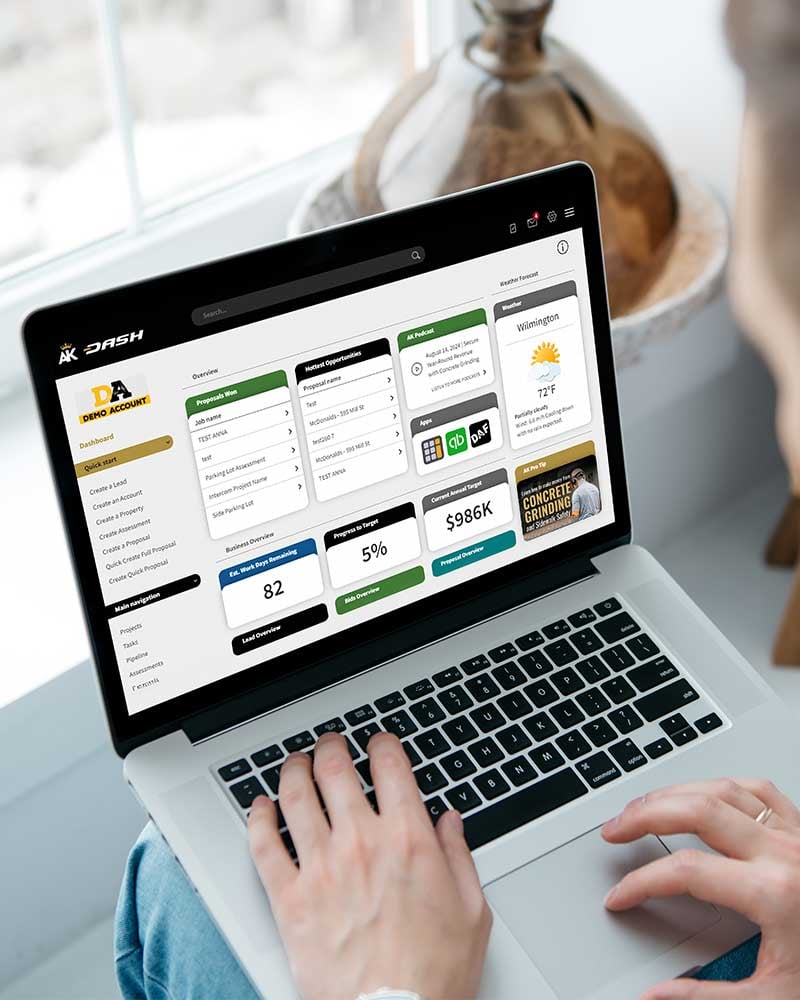
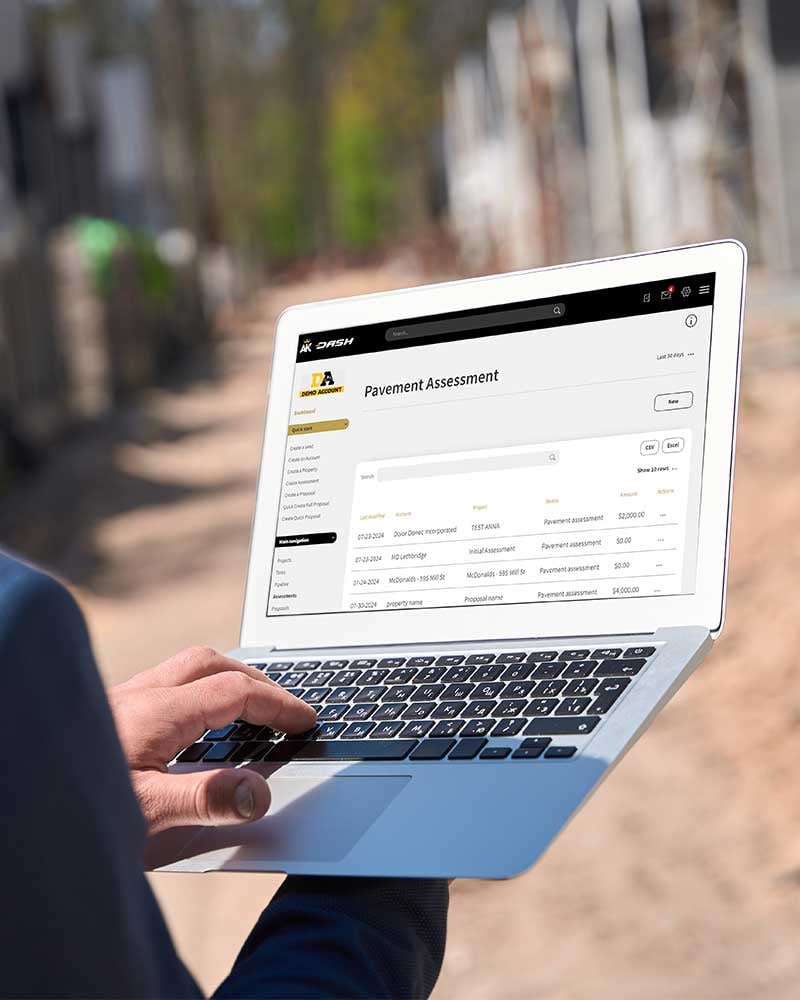
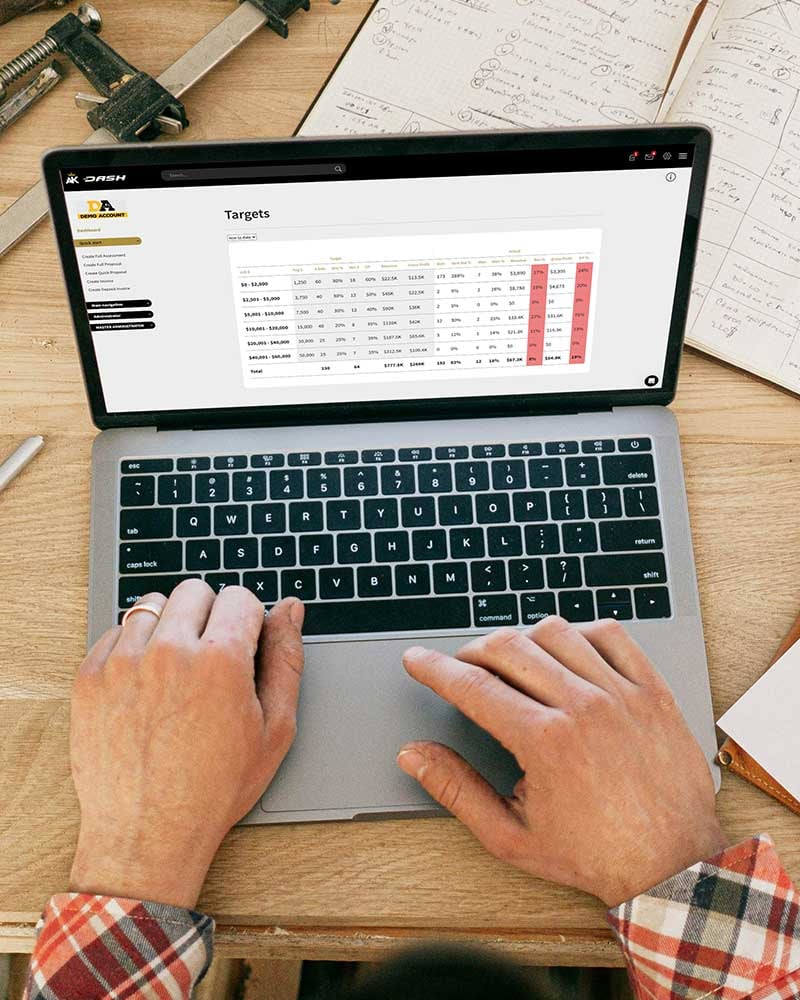
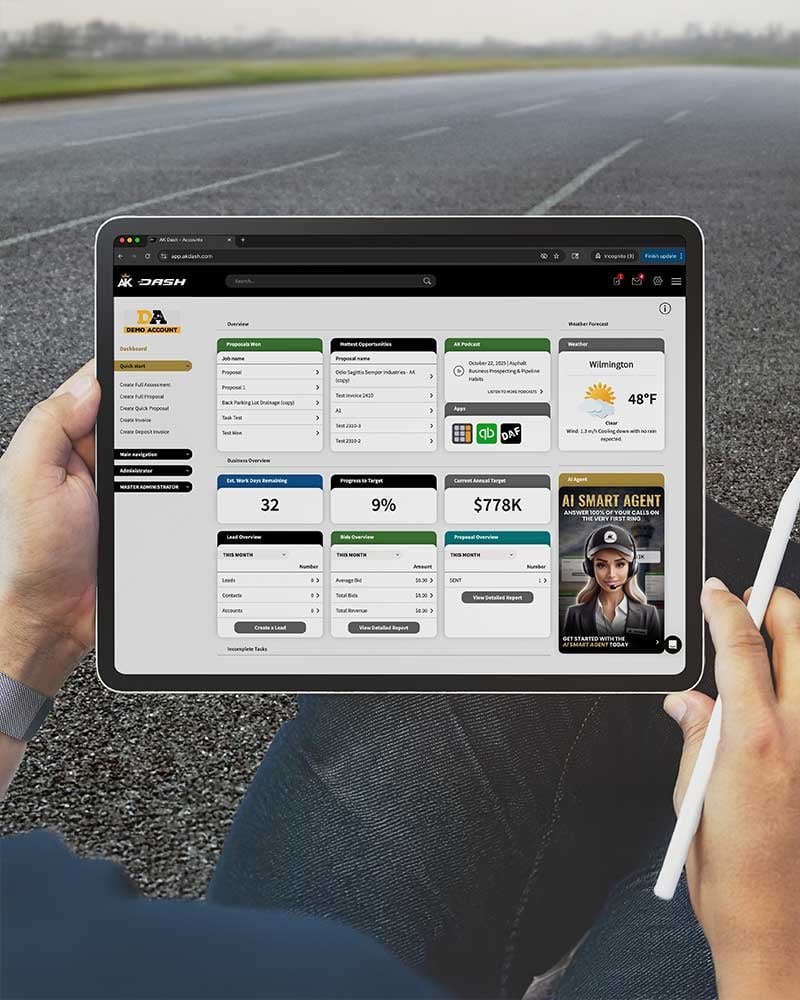
AK DASH screens
AK DASH Proposal Generator

Proposal Generator

Win More Jobs with Professional Proposals

First impressions win contracts. The AK DASH Proposal Generator helps you create professional, high-converting proposals fast — with your branding, scope of work, and pricing all in one clean format. What used to take hours now takes minutes, giving you more time to focus on the work that matters.

  • Create and Customize in a Few Clicks
    Upload project photos, select your scope of work, adjust pricing, and send. Add your company logo, terms, and optional add-ons using simple checkboxes so clients can choose upgrades or additional services directly from your proposal.
  • Consistent, Organized, and Easy to Manage
    Every proposal is saved automatically and assigned a reference number for tracking. PDFs are auto-generated, formatted, and ready to send, ensuring your proposals look sharp every time.
  • Frictionless Approvals
    Clients can sign digitally through secure links — reducing friction and accelerating project approvals.

Proposal Generator FAQs

Can I customize my proposal templates in AK DASH?
Yes, you can edit logos, terms, and layout in your proposal templates.You can even duplicate templates to have specific templates for your client types, such as residential, commercial, property management companies, and more.
Can I include optional services in my proposals with AK DASH?
Yes, you can add optional services with checkbox add-ons — when your customer opts in to an optional service, the subtotals update instantly.
Can clients sign my proposals digitally with AK DASH?
Yes, proposals include a digital signature option. 
Does AK DASH calculate taxes automatically on my proposals?
Yes, taxes can be calculated and applied based on your account’s settings.
AK DASH Pavement Assessments

Pavement Assessments

Turn Field Assessments into Winning Proposals

Most contractors skip assessments because they’re time-consuming. AK DASH Pavement Assessments changes that. Capture project details, site notes, and photos in one structured form that feeds directly into your proposal process. Clear assessments lead to more accurate quotes — and more closed deals.

  • Fast, Standardized Data Capture
    Upload photos, document repair areas, and outline your recommended services. Add materials and scope items while you’re still in the office or in the field — depending on your workflow.
  • Linked to Proposals for One-Click Conversion
    Assessments feed directly into your proposal generator, pre-filling site details and scope of work. You can also link completed assessments to future proposals for recurring clients.
  • Professional Reporting That Sells
    Assessments produce clean, formatted summaries you can send to clients or keep internally for job planning and recordkeeping.

Pavement Assessment FAQs

Can photos & notes be uploaded from mobile for pavement assessments?
Yes, mobile uploads are possible in AK DASH, though your upload speed depends on connection strength.
Do AK DASH assessments link to proposals?
Yes, you can easily convert a pavement assessment to an AK DASH proposal with direct one-click conversion.
Can multiple people contribute to my AK DASH pavement assessments?
Yes, team members can edit collaboratively on pavement assessments in your company profile.
AK DASH Work Orders

Scheduling & Work Orders

Keep Every Job, Crew, and Update on One Schedule

Plan confidently and communicate clearly across every project. Scheduling should feel simple — not stressful. AK DASH Scheduling and Work Orders help contractors stay organized and responsive. Plan jobs, assign teams, and adjust quickly when weather or priorities change.

  • Smart Scheduling. Real-Time Adjustments.
    Drag and drop jobs across your timeline. Reschedule multi-day or phased projects in a few clicks. Keep your schedule clear, visible, and flexible.
  • Work Orders That Auto-Generate from Proposals
    Every approved proposal automatically creates a matching work order, complete with customer details, site information, and assigned scope. No duplicate data entry, no missed details.
  • Field Feedback and Photos
    Field teams upload photos, completion notes, and time logs — creating a full record of each job. Managers can review in real time, ensuring accountability and quality control.

AK DASH Scheduling & Work Orders FAQs

Can I split jobs into phases in AK DASH?
Yes, multi-day scheduling is supported — ideal for large jobs with multiple services rendered or multiple days of work.
Can crews upload photos from mobile to AK DASH?
Yes, AK DASH accepts uploads from any device.
Are work orders customizable in AK DASH?
Yes, you can edit templates for each service type for customized work orders.
Can I link AK DASH’s work calendar to my calendar?
Google Calendar sync is planned for release.
AK DASH Revenue Roadmap

Revenue Roadmap

Know Your Numbers. Hit Your Financial Targets.

Simple dashboards for tracking revenue, margin, and performance at a glance. Contractors who track their numbers grow faster. The AK DASH Revenue Roadmap lets you set goals, track progress, and see how close you are to your next milestone. From startup to $1M+ operations, it gives you visibility and control over growth.

  • Set Targets. Stay on Track.
    Define monthly, quarterly, or annual revenue goals. See progress in real time, and adjust based on proposals won, jobs scheduled, and invoices paid.
  • Team Accountability Built In
    Assign targets across team members or divisions. Track performance automatically through your sales pipeline.
  • Make Decisions with Data
    Understand what’s working and what’s not. Identify bottlenecks, compare results, and track profitability across service types.

Revenue Roadmap FAQs

Can I set sales goals for each user in AK DASH?
Yes, you can set financial goals for each user individually in AK DASH.
Does AK DASH show gross margin?
Yes, AK DASH will show gross margin if you input your costs manually before the job.
Can I export reports in AK DASH?
Yes, reports can be exported.
Does AK DASH integrate with invoicing?
AK DASH connects manually through recorded payments.
AK DASH in the field

Task Environment

Simplify Operations. Stay Accountable.

Every task, to-do, and follow-up in one clean dashboard. Task management shouldn’t require another app. AK DASH’s Task Environment keeps your team on track with lightweight, built-in task tracking. Assign responsibilities, follow up on leads, and make sure nothing slips through the cracks.

  • Create and Assign Tasks Instantly
    Add a task to a proposal, job, or account. Set due dates, priorities, and owners — and track progress from start to finish.
  • Stay on Top of What Matters
    Managers can see overdue tasks, completed jobs, and daily to-dos in one view.
  • Connected to Your Pipeline
    As proposals move through stages, related tasks update automatically to keep you organized.

Task Environment FAQs

Can I assign tasks to other users in AK DASH?
Yes, you can create tasks and assign tasks to other users to delegate work in AK DASH to your team members.
Can I link tasks to specific jobs in AK DASH?
Yes, tasks can be associated to specific projects in AK DASH.
Can I integrate with external calendars?
Not yet — but planned for future releases.
Do AK DASH tasks trigger notifications?
AK DASH provides only internal dashboard notifications at this time.
AK DASH AI Tools and automations

AI Tools

Bring AI to the Field — and Never Miss a Lead Again.

AI tools that save time, improve response speed, and help you scale. The AK DASH AI suite combines automation and intelligence for real-world contractor workflows. From 24/7 call answering to automated takeoffs and digital assessments, these tools help you stay ahead without adding overhead.

  • AI Call Answering
    Your dedicated AI agent answers calls, qualifies leads, and logs them directly into your AK DASH account — even when you’re on-site.
  • AI AutoMeasure Takeoffs
    Upload your site map or aerial image. The system measures and calculates surface areas, lineal footage, and material needs — typically within a few hours.
  • Automated In-Field Assessments
    Dispatch your surveyor to capture photos and notes, and let AI help classify issues and recommend services automatically.

AK DASH AI Tools FAQ

Can the AK DASH AI agent transfer calls to me?
Yes, it can be set to transfer calls to you.
How long do AI AutoMeasure Takeoffs take?
It takes 1–3 hours on average depending on property size. Manual measurements are instant.
Can AI measure blueprints?
Not yet — that’s on our roadmap.
Is my data secure in AK DASH?
Yes, all data is encrypted within AK DASH.

More AK DASH Features

manage-clients

Pipeline

manage-clients

Lead Generation

manage-clients